A departure plan that starts at the curb.
LYVR shows the security line closest to where you check in, how long the walk to your gate takes, and when the boarding door closes.

LYVR knows your gate, the walk, the train between terminals and the line at security. It turns the time in between into a plan, at any airport in the world.
Free in your browser on iPhone and Android. App Store version coming soon.


From the check-in desk to the boarding door: when to arrive, how long security will take, and which lounges will let you in.
LYVR shows the security line closest to where you check in, how long the walk to your gate takes, and when the boarding door closes.
How long the security line is right now, by terminal and lane, at 100+ airports.
From the airports themselves, the TSA and public wait-time trackers.
From four hours before takeoff: the plane flying in to work your flight, then your flight on its path, then parked at the gate.

With no connection, LYVR estimates where the plane is along the route from the last known times, on a map saved to your phone, and marks it Estimated.
Open LYVR online once in the 24 hours before you fly to save the map.
Add your cards and memberships once. With LYVR Pro, every lounge shows whether you're in, and the live waitlist when there is one.


Check-in, security, baggage claim, gates and every shop, on the airport's own indoor map. Switch floors the way you'd take the escalator.

Save your flights and LYVR finds the connection. It counts every walk, train and checkpoint, so "time to spare" is the time you really have.


Search by flight number. When flight AS26 lands at JFK and flight AA100 leaves from there, LYVR links them and turns the 11h 30m in between into its own page.
Kids, a dog, a stroller, a wheelchair. Then what sounds good: a real meal, coffee, somewhere quiet to work.
It picks real places in the terminal you fly out of, skips anything more than 20 minutes out of your way, and lists them in the order you'll pass them.
At JFK, switching terminals means going through security again. LYVR adds the current wait, the AirTrain ride and the walk to the gate, then shows what's left.
Step-by-step directions from your gate to your next one. They follow the real hallways, tell you when to take an escalator, when to hop on the train between terminals and where you'll go through security again. Your route is ready the moment you tap Start.


Walk, AirTrain, escalators and security, laid out as steps before you start.
The map turns with you and the next instruction is always on top. Your blue dot moves along the line.
Where you can't walk between terminals, LYVR puts you on the airport train and tells you where to get off.
Traveling with a wheelchair, a stroller or heavy bags? Turn on Prefer Elevators in your profile and every floor change takes the elevator wherever the terminal has one.
No hunting for signs. The route ends at your gate's door, with the boarding time on screen.
When your first flight is late enough to put the connection at risk, LYVR warns you and tells you who has to rebook you. With LYVR Pro, it also looks up the next flights on Google Flights with their prices, which ones you can still make from your gate, and which ones your airline has to rebook you on for free.


LYVR works out if leaving the airport is worth it. It counts the time to get out, the ride each way, security on the way back and 30 minutes of extra room. Then it plans the day.


Passport control, the right baggage belt, customs and the pickup spot, timed from the moment you land.


Not when the wheels touch down. LYVR adds deplaning, the walk, the passport line and the bag wait, and gives you one time.
Which belt your bags come out on, the walk between each stop, and a "Done" button to tap as you go.
Whoever's picking you up sees your ETA move as you go. No app, no sign-in. It stops when you reach the curb.
Your LYVR account comes with a passport. Once a trip is over it goes in: the route on the map, a stamp for every airport and visas for the stories in between.
Your name, home airport, flights and miles on a photo page laid out like a real one. The number on it is also how friends find you in Crew.
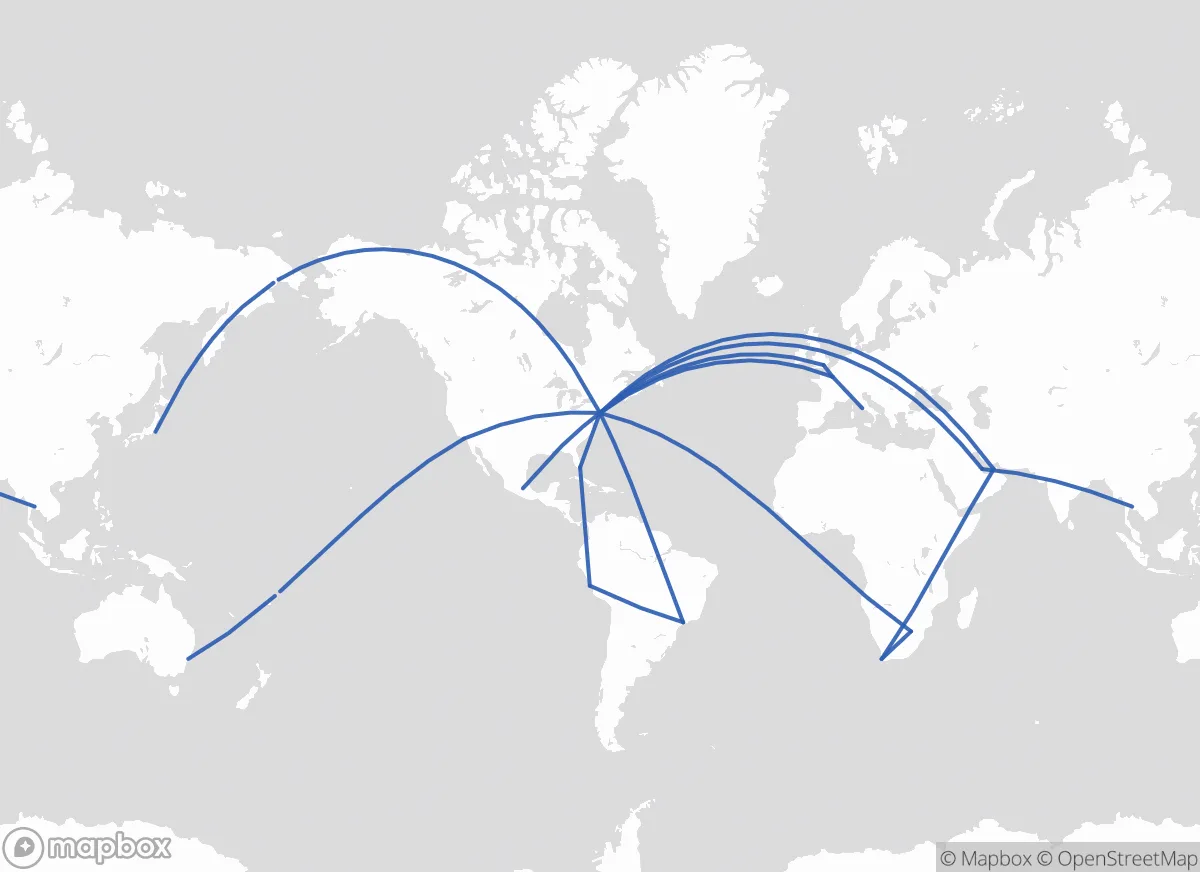
Each trip you fly draws itself on the map, with the countries and continents you've covered. Flown before LYVR? Add those trips too.
Inked in its country's own style, in the local language. Only changed planes there? You get a dashed transit stamp. Tap one to see every place you went.
100 achievements to earn, bronze to platinum, each with its own joke. Visit all six continents for Continental Breakfast. Fly across the date line for Yesterday Called.
Visas are LYVR's achievements, issued for what really happened on your trips: the flights, the layovers, the walk to the curb and the friend who came to get you. You earn them once a trip is over. Each shows the date of the trip that earned it, and you keep it for good.
Tap a visa to flip it · 100 visas · 138 levels · 11 of them secret
Most visas level up as you go. Gold and platinum shimmer like a hologram, and some levels get names of their own: fly 24,901 miles and you've Lapped the Planet. Make it 238,855 and it's Fly Me to the Moon.
Seat Back, Tray Table Up By 100 the safety demo is just background music.
NEW VISA · PLATINUM
Mileage May Vary
Fly Me to the Moon
Your carbon footprint has its own carbon footprint.
+ 2 more new visas
Trip recaps and airport tips from the people you fly with. Your friends' picks show up on your next layover, right where you can add them to the plan.


The same Crew in your browser, on your phone or your laptop.


Pick an airport and see what travelers who've been there recommend, ranked by Helpful votes, with its top voices up front. Tips from people who've actually flown through there are marked as verified.

LYVR is a free airport layover planner. Save your flights and it finds the layover, times the walk between gates on an indoor airport map, shows which security and passport checks are on your way, and suggests restaurants, lounges and things to do that fit the time you have.
Flight trackers like Flighty tell you whether you'll make a connection; LYVR plans the time in between. It works at any airport and shows real walk times, time to spare and live security waits. With LYVR Pro it also shows live customs waits and the lounges you can get into with your cards, memberships or airline status.
Yes. LYVR plans layovers at any airport worldwide, with indoor walking routes, terminal trains and shuttles, and nearby places. Live security wait times cover dozens of airports across the US, Canada, Europe and Asia-Pacific.
Yes. LYVR is free in any browser on your phone or computer, including 3 Ask AI plans a month. Create a free account with your email or Google to save your flights. LYVR Pro, $5.99 a month, $49.99 a year or $2.99 a week, adds unlimited Ask AI plans, a day in the city planned for you, hotel prices, lounge queues and access, live waits at customs and the new passport checks in Europe, and the next flights with prices after a missed connection. Cancel anytime.
Yes. Tap Ask AI on any layover and answer three quick questions: who's traveling, what sounds good, and a final check. It suggests real places in your terminal that fit your time to spare, in the order you'll pass them on the way to your gate. You can also just ask it things, like where to get a quick bite or whether you can leave the airport. It plans your time before a flight, too.
Crew is LYVR's social tab, free for everyone. Add friends with your invite link or passport number, share recaps of trips you've flown and tips about airports, and follow travelers whose tips help. When you have a layover, your friends' tips for that airport show up on it so you can add them to your plan. Other travelers only see your first name and last initial, and recaps never show flight numbers.
It starts when your plane lands and ends when the boarding door on your next flight closes. In between, it takes out getting off the plane, every walk and train ride, and any passport control, customs or security on the way. What's left is your time to spare.
More layover answers: how long a layover should be, what to do on a layover and leaving the airport.
Free, in your browser. Plan your first layover in a couple of minutes.
Launch LYVR →